
CubeMapping은 Skybox(하늘 배경) 와 환경 반사(Environment Mapping) 에 많이 활용된다.
참고 : Braynzar Cubemap
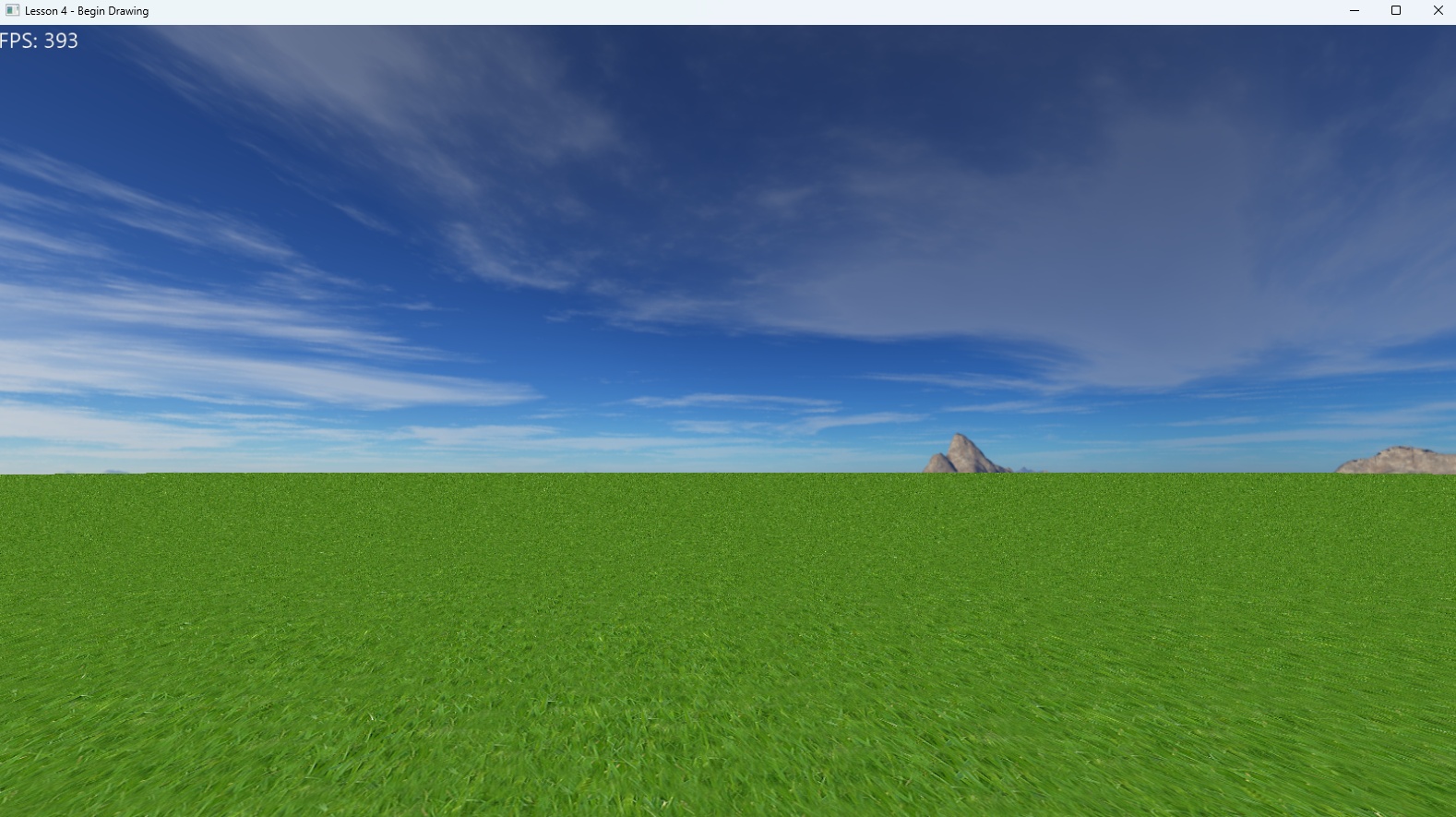 SkyboxShader |
1. CubeMapping이란?
6장의 정사각형 텍스처(±X, ±Y, ±Z)를 큐브의 6면처럼 묶어 하나의 TextureCube로 사용한다. 일반 Texture2D처럼 (u, v)로 샘플링하지 않고, 3D 방향 벡터로 샘플링한다.
방향 벡터에서 절댓값이 가장 큰 축이 어느 면(face)을 읽을지 결정하고, 나머지 두 성분이 그 면 안에서의 (u, v)가 된다.
Skydome을 pixel로 아래와 같은 도식으로 mapping하기때문에 CubeMapping이라고 부른다.
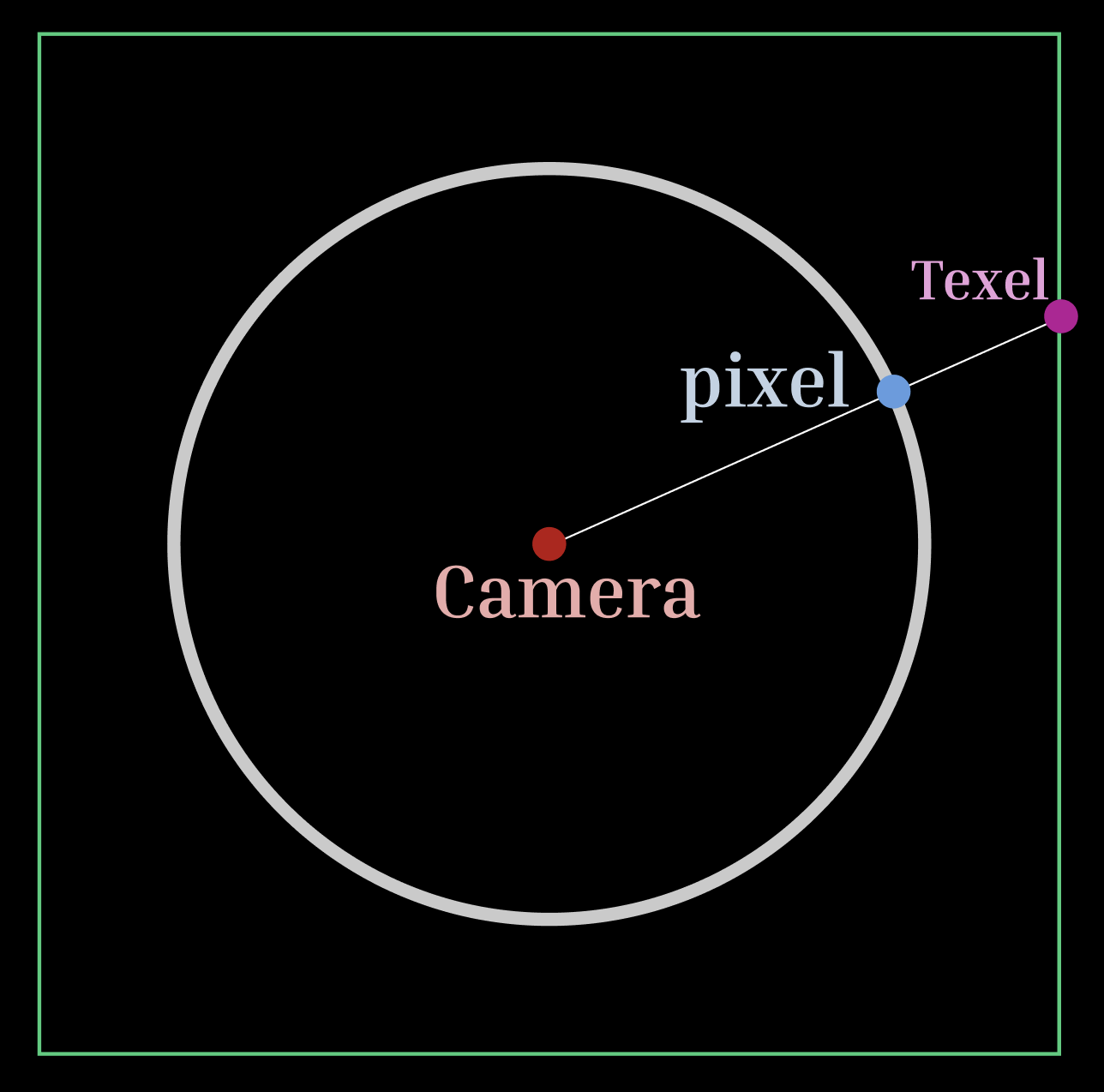 CubeMappingShader |
- Pixel Shader : VS에서 넘어온 방향 벡터로
TextureCube를 샘플링해 해당 Texel Color를 pixel에 매핑한다. - Camera가 움직일 때 Skybox도 같이 이동해야 한다 (하늘은 항상 멀리 있는 것처럼 보여야 하므로). → Shader가 아닌 메인 CPU 코드
UpdateScene()에서 sphere의 World 행렬을 카메라 위치로 Translation 하는 행렬곱으로 처리했다.
void UpdateScene(double time)
{
	..
	Translation = XMMatrixTranslation(XMVectorGetX(camPosition), XMVectorGetY(camPosition), XMVectorGetZ(camPosition));
	sphereWorld = Scale * Translation;
}
2.Sphere 생성
Skybox용 mesh는 큐브 대신 sphere를 직접 만들어 사용한다. (vertex 위치 자체가 샘플링 방향이 되므로 어떤 형태든 상관없다.)
void CreateSphere(int LatLines, int LongLines)
{
	// 양 극점 2개 + 고리 정점
	NumSphereVertices = ((LatLines - 2) * LongLines) + 2;

	// 몸통 사각형 2삼각형 + 극점 부채꼴
	NumSphereFaces = ((LatLines - 3) * (LongLines) * 2) + (LongLines * 2);

	float sphereYaw = 0.0f;
	float spherePitch = 0.0f;
	// ... (이하 vertex / index buffer 생성)
}
Sphere vertex position 수식
위도 각 φ(pitch), 경도 각 θ(yaw)로 단위 구 위의 점을 구한다.
- Tutorial code는
(0,0,1)벡터를 pitch → yaw 회전행렬로 돌려 같은 결과를 만든다. - Skybox에서는 이 vertex 위치(P)가 곧
texCoord(샘플링 방향) 이다. - 방향만 중요하므로 정규화되지 않아도 된다.
3. Cube Mapping Shader
// TextureCube : Texture2D 6장(축마다 2장)을 묶은 리소스
struct Light
{
	float3 dir;
	float4 ambient;
	float4 diffuse;
};

cbuffer cbPerFrame
{
	Light light;
};

cbuffer cbPerObject
{
	float4x4 WVP;
	float4x4 World;
};

Texture2D ObjTexture;
SamplerState ObjSamplerState;
TextureCube SkyMap;

struct VS_OUTPUT
{
	float4 Pos : SV_POSITION;
	float2 TexCoord : TEXCOORD;
	float3 normal : NORMAL;
};


// vs -> PS skymap : 위치와 샘플링 방향만 필요
// We will only be needing the position and texture coordinates in our PS.
struct SKYMAP_VS_OUTPUT	// output structure for skymap vertex shader
{
	float4 Pos : SV_POSITION;
	float3 texCoord : TEXCOORD;
};

VS_OUTPUT VS(float4 inPos : POSITION,
			float2 inTexCoord : TEXCOORD,
			float3 normal : NORMAL)
{
	VS_OUTPUT output;

	output.Pos = mul(inPos, WVP);

	output.normal = mul(normal, World);

	output.TexCoord = inTexCoord;

	return output;
}

// SkymapVS
SKYMAP_VS_OUTPUT SKYMAP_VS(float3 inPos : POSITION,
						float2 inTexCoord : TEXCOORD,
						float3 normal : NORMAL)
{
	SKYMAP_VS_OUTPUT output = (SKYMAP_VS_OUTPUT)0;

	// Set Pos to xyww instead of xyzw, so that z will always be 1 (furthest from camera)
	output.Pos = mul(float4(inPos, 1.0f), WVP).xyww;

	output.texCoord = inPos;

	return output;
}

float4 PS(VS_OUTPUT input) : SV_TARGET
{
	input.normal = normalize(input.normal);
	float4 diffuse = ObjTexture.Sample( ObjSamplerState, input.TexCoord );
	float3 finalColor;

	finalColor = diffuse * light.ambient;
	finalColor += saturate(dot(light.dir, input.normal) * light.diffuse * diffuse);

	return float4(finalColor, diffuse.a);
}

// Skymap PS : VS에서 받은 3D 방향으로 TextureCube 샘플링만!
float4 SKYMAP_PS(SKYMAP_VS_OUTPUT input) : SV_Target
{
	return SkyMap.Sample(ObjSamplerState, input.texCoord);
}


float4 D2D_PS(VS_OUTPUT input) : SV_TARGET
{
	float4 diffuse = ObjTexture.Sample( ObjSamplerState, input.TexCoord );

	return diffuse;
}
- 다른 Geometry와 같은 InputLayout을 쓰기위해 uv/normal 받지만 사용하지 않음.
- pos.xyww : 투영 후 z자리에 w를 넣는다.
- Perspective divide(z/w) 후 depth = w/w 1.0이 되어 항상 가장 먼 값
input.texCoord로 ObjSamplerState의 uv coordinate를 맞춰준다.
4. Draw : Sky 그리기
Sphere의 index/vertex buffer → MVP/World → SkyMap SRV와 Sampler → VS/PS → DepthStencil / Rasterizer State 순으로 세팅한 뒤 그림, 그린 이후 다른 geometry를 위해 상태를 기본값으로 돌림
//Sphere index/VTX buffer
	d3d11DevCon->IASetIndexBuffer( sphereIndexBuffer, DXGI_FORMAT_R32_UINT, 0);
	d3d11DevCon->IASetVertexBuffers( 0, 1, &sphereVertBuffer, &stride, &offset );

	// MVP / World를 constant buffer로 전달
	WVP = sphereWorld * camView * camProjection;
	cbPerObj.WVP = XMMatrixTranspose(WVP);
	cbPerObj.World = XMMatrixTranspose(sphereWorld);
	d3d11DevCon->UpdateSubresource( cbPerObjectBuffer, 0, NULL, &cbPerObj, 0, 0 );
	d3d11DevCon->VSSetConstantBuffers( 0, 1, &cbPerObjectBuffer );

	// SkyMap SRV(Resource) Sampler PS로 보냄
	d3d11DevCon->PSSetShaderResources( 0, 1, &smrv );
	d3d11DevCon->PSSetSamplers( 0, 1, &CubesTexSamplerState );

	// Skymap 용 VS/PS, depthStencil, Rasterizer State
	d3d11DevCon->VSSetShader(SKYMAP_VS, 0, 0);
	d3d11DevCon->PSSetShader(SKYMAP_PS, 0, 0);
	d3d11DevCon->OMSetDepthStencilState(DSLessEqual, 0);
	d3d11DevCon->RSSetState(RSCullNone);
	d3d11DevCon->DrawIndexed( NumSphereFaces * 3, 0, 0 );

	// 기본 상태 복구
	d3d11DevCon->VSSetShader(VS, 0, 0);
	d3d11DevCon->OMSetDepthStencilState(NULL, 0);
	d3d11DevCon->RSSetState(NULL); // Rasterizer State 복구
5. Q&A
왜 DSLessEqual?
Skybox의 depth는 항상 1.0으로 far이다.
depth buffer도 1.0으로 Clear 되어 있으므로 기본 비교함수 LESS (1.0 < 1.0)로는 통과치 못해 하늘이 그려지지 않는다.
그래서 LESS_EQUAL을 쓴다.
왜 CullNone?
Sphere를 안쪽에서 바라보기 때문에 삼각형의 winding이 뒤집혀 보이고, 기본 backface culling이면 sphere의 안쪽 면이 전부 사라진다. 그래서 culling을 끈다.
D3D11_RASTERIZER_DESC cmdesc; ZeroMemory(&cmdesc, sizeof(D3D11_RASTERIZER_DESC)); cmdesc.FillMode = D3D11_FILL_SOLID;
cmdesc.CullMode = D3D11_CULL_NONE;
d3d11Device->CreateRasterizerState(&cmdesc, &RSCullNone);
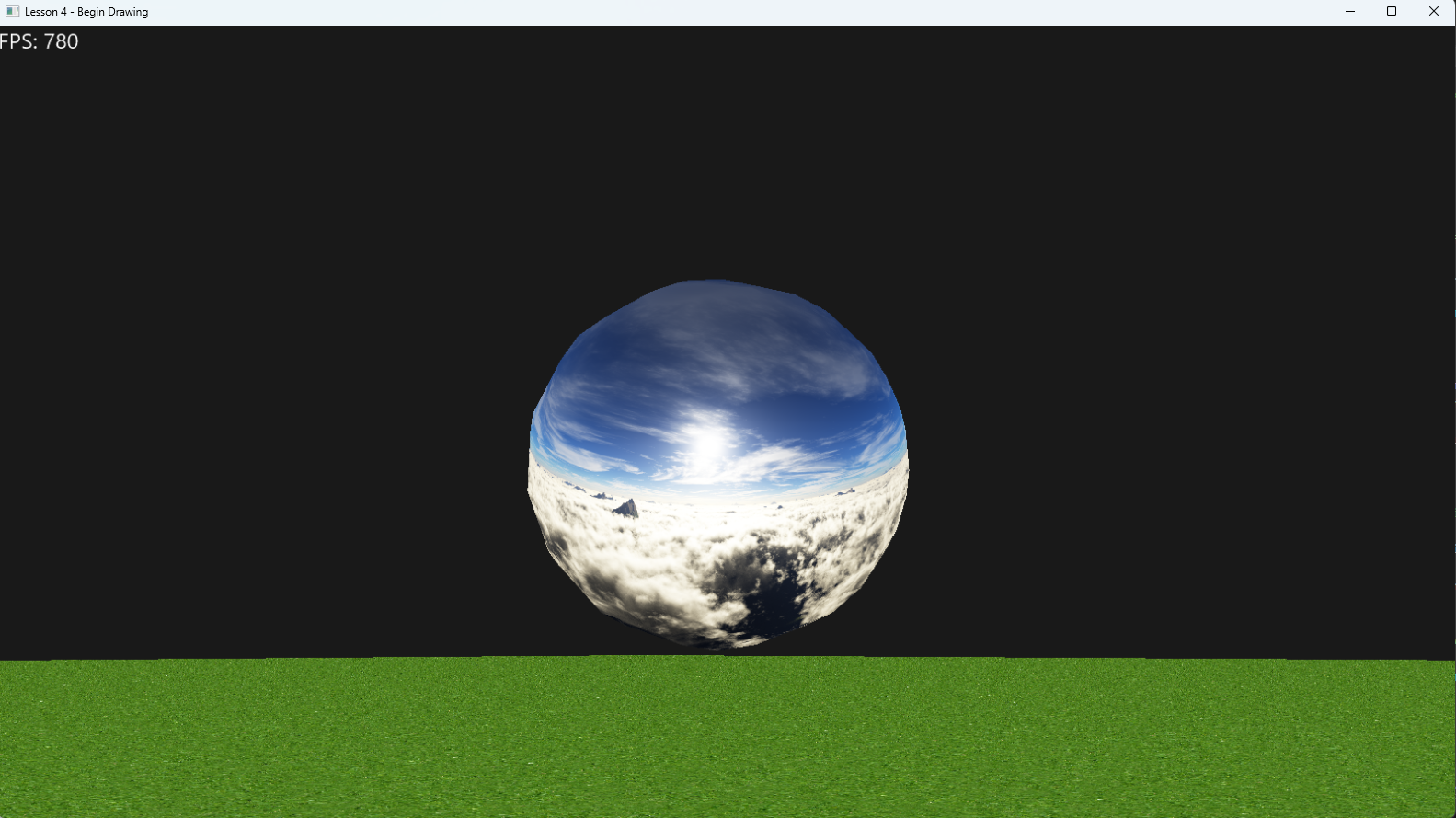 Skybox Test |